Updated , 3 min read, by the Probably team
Key takeaways
- Claude and Codex write; Probably's crew films, voices, edits and reviews.
- Connect once with OAuth and choose the organization, Space and permissions.
- Nothing is spent until you confirm the preview in the chat.
- Your first 480p draft is free.
Can Claude make video ads?
Not on its own: Claude writes text and code, not video. Connected to a video tool through MCP, it can brief, start, follow and share a finished video ad from the chat.
MCP (the Model Context Protocol) lets an AI app call another service's tools. Probably's server gives Claude the studio's: list your brand Spaces, prepare a video from a brief, start it once you agree, follow it until it's delivered, ask the crew for changes and share the result. The AI creative crew writes the script, casts the actor, films, voices, edits and reviews; Claude is the one you talk to.
What you need
- A Probably account; your first draft is free at 480p.
- Claude on the web or the desktop app (custom connectors are on every plan; Free allows one), Claude Code, or OpenAI Codex.
- The server's address, the same for every app:
https://studio.probably.co/api/mcpMake your first ad free
Tell the crew what you’re selling. Get a 480p draft with a script, actor, voice and edit, checked before you see it.
First draft free, no credit card
Connect Claude on the web or the desktop app
- Open Customize, then Connectors
Choose + Add, then Add custom connector.
- Name it and paste the address
Call it Probably, enter https://studio.probably.co/api/mcp and choose Continue.
- Sign in
Keep the detected OAuth settings, choose Add, then Connect. Sign in to Probably and allow the connection.
On a Team or Enterprise plan an owner adds the connector under Organization settings, then Connectors; members then choose Connect on it under Customize, then Connectors. A connector added on the web works in the desktop app too.
Connect Claude Code
Add the server over HTTP:
claude mcp add --transport http probably https://studio.probably.co/api/mcpAdd --scope user to use it in every project. Then run /mcp inside Claude Code, choose probably and sign in in the browser it opens. The Claude Code quickstart also shows an API key for machines without a browser.
Connect OpenAI Codex
Add the server to ~/.codex/config.toml:
[mcp_servers.probably]
url = "https://studio.probably.co/api/mcp"
Then sign in:
codex mcp login probablyThe Codex CLI, its IDE extension and the ChatGPT desktop app share this file. For CI, the Codex quickstart reads an API key from an environment variable instead.
What you choose when you connect
Probably's consent page asks which organization the app works in, optionally one Space, and what it may do:
Read
List Spaces, videos, personas and products; follow a video; get its links
Make changes
Save personas and products, message the crew, approve and share videos
Start paid work
Confirm a spend in the chat after you agree; without it, you confirm by a link in the studio
The app's access token lasts 60 minutes and renews itself for up to 90 days of use. Revoke it any time in Settings, then Connections; its next call is refused.
Make an ad from a chat
- Find your brand
Ask “List my Probably Spaces.” Claude calls list_spaces.
- Brief the ad
Ask for it as you would a person, such as the prompt below. Claude calls prepare_video and shows you the preview: whether it fits your credits, and whether your free draft covers it.
- Say go
Answer “Go ahead.” Claude calls confirm_spend, which starts exactly what the preview showed.
- Follow it
Ask “Tell me when it's delivered.” Claude calls wait_for_video until the video changes, and can relay the crew's questions.
- Change, approve and share
Ask for a change in words, approve the delivery, then ask for a link: get_media for a download, share_video for a lasting link.
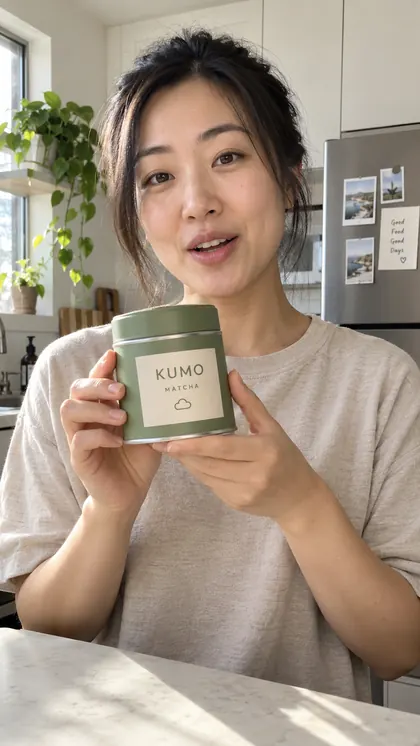
Make a 15-second 9:16 selfie vlog for our Dewdrop face mist in the Dewdrop Space. A woman in her twenties sprays it on her commute and says why it lives in her bag. Show me the preview before you start.That brief is one of the ad examples; each has its own brief to borrow.
How is spending confirmed?
Every paid step comes in two halves: a prepare tool shows what the work costs and spends nothing, and only confirm_spend starts it.
- A preview waits 15 minutes for your answer, then expires unspent.
- Confirming the same preview twice starts the work once.
- Only the connection that prepared a spend can confirm it, and nothing written in a brief or a message can confirm it.
- See spend confirmations for the details.
The tools Claude gets
list_spaces, list_videos
Find your brands and their videos
prepare_video
Turn a brief into a draft and a cost preview
confirm_spend
Start the work a preview showed
wait_for_video, get_video
Follow a video and read what waits on you
send_message
Ask the crew for a change or answer them
approve_delivery
Accept the delivered video
get_media, share_video
Download it, or share a lasting link
Every tool is in the MCP tool reference, Connect an AI app covers ChatGPT, Cursor and VS Code too, and integrations lists every app Probably works with.
Frequently asked questions
Can Claude AI generate videos?
Not by itself; Claude writes text and code. Connected to Probably through MCP, it can have a finished UGC video ad made from a brief and bring it back to the chat.
Is Claude free for video generation?
Claude's Free plan allows one custom connector, so you can connect Probably without paying Anthropic. Videos use Probably credits; your first 480p draft is free. See pricing.
Can Claude be used for video editing?
Through Probably, yes: ask Claude for a change in words, such as a new hook or a shorter ending, and the crew plans it and shows what it costs before redoing anything.
Is Claude with MCP free?
Connecting an MCP server costs nothing in Claude; Free users get one custom connector. The service behind it may charge for its work, as Probably does in credits.
Can the Claude app use MCP?
Yes. Claude on the web and the desktop app add remote MCP servers as custom connectors, and Claude Code adds them with claude mcp add.
Does this work with ChatGPT?
ChatGPT adds custom MCP servers as apps in developer mode, on the plans that offer it; see Connect an AI app. Codex uses the config above.