Why do UGC ads need captions?
Captions let a UGC ad land with the sound off and put its hook on screen in the first second.
Captions make the ad work with the sound off and carry the hook, since people read the first line before they listen.
- A fast talker is easy to follow.
- Key words, such as a price or product name, appear on screen.
- The ad looks native, since creators caption their own videos.
Five caption styles, or none
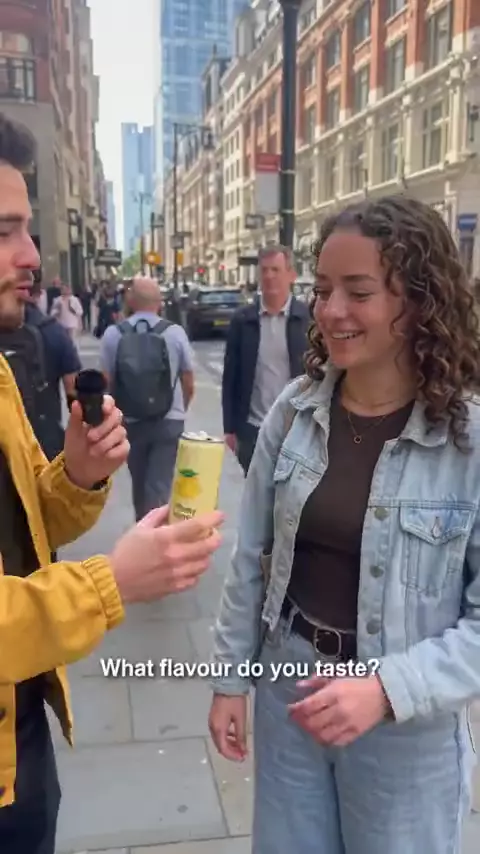
A new video starts in Classic, the look most creators use on TikTok.
| Style | What it looks like | Good for |
|---|---|---|
| Classic | White words, black outline, lower third. | Most talking ads. |
| Text box | Words on a light or dark box. | Busy or bright backgrounds. |
| Word pop | The spoken word changes color and pops. | Fast, energetic delivery. |
| Bold | Big capitals, two words at a time, mid-screen. | Short, punchy hooks. |
| Minimal | Small lowercase words near the bottom. | Calm, aesthetic videos. |
| None | No captions burned in. | Videos you caption elsewhere. |
Change any part of your captions
Each option changes one part of the style and leaves the rest alone.
Highlight color for emphasized words.
Font: TikTok Sans, Montserrat, Poppins or Anton.
Size, from small to extra large.
Case: as said, all caps or all lowercase.
Position: the style's own, or top, middle or bottom, inside the safe zone.
One to six words per line.
Keywords to emphasize, from the script or your own list.
Emoji, on or off.
Animation: none, a small pop, or word by word.
You can also ask in plain words, such as "make the captions yellow and bigger". A Space can set a caption default for its brand.
Is changing captions free?
Yes. Restyling a delivered video's captions re-renders it free, up to 3 times a day per video. To change the words, edit the script; see review and revisions. Other changes use credits, priced on the pricing page.
Keep lines short
As a rule of thumb, show two to four words at once.
Stay clear of the app's buttons
Buttons and the account name cover the edges, so keep text in the safe zone; see UGC video ad specs.
Emphasize one word per line
Highlight the word that carries the meaning, such as "free" or the product's name.
Match the style to the voice
Word pop suits a quick, excited voice; Minimal suits a slow, quiet one.
| Aspect | Burned-in (Probably) | Platform auto captions |
|---|---|---|
| Shows for every viewer | Yes | Only when the viewer or app turns them on |
| Your style and colors | Yes | The platform's style |
| Same on every platform | Yes | Differs by app |
| Can be turned off by the viewer | No | Yes |
Frequently asked questions
Does Probably add captions automatically?
Yes. Every video from the AI ad generator is captioned from its script and timed to the voiceover, in Classic unless you or your Space pick another style.
Can I get word-by-word TikTok captions?
Yes. Choose Word pop, or set another style's animation to word by word.
Can I change the caption color and font?
Yes. Set a highlight color and choose TikTok Sans, Montserrat, Poppins or Anton.
Updated